

Here is something most agencies would never admit: last week, we ran our own website through Google Search Console and found that Google was refusing to index 59 of our 93 pages.
Yes, we are a digital marketing agency. And our own site was more invisible than visible.
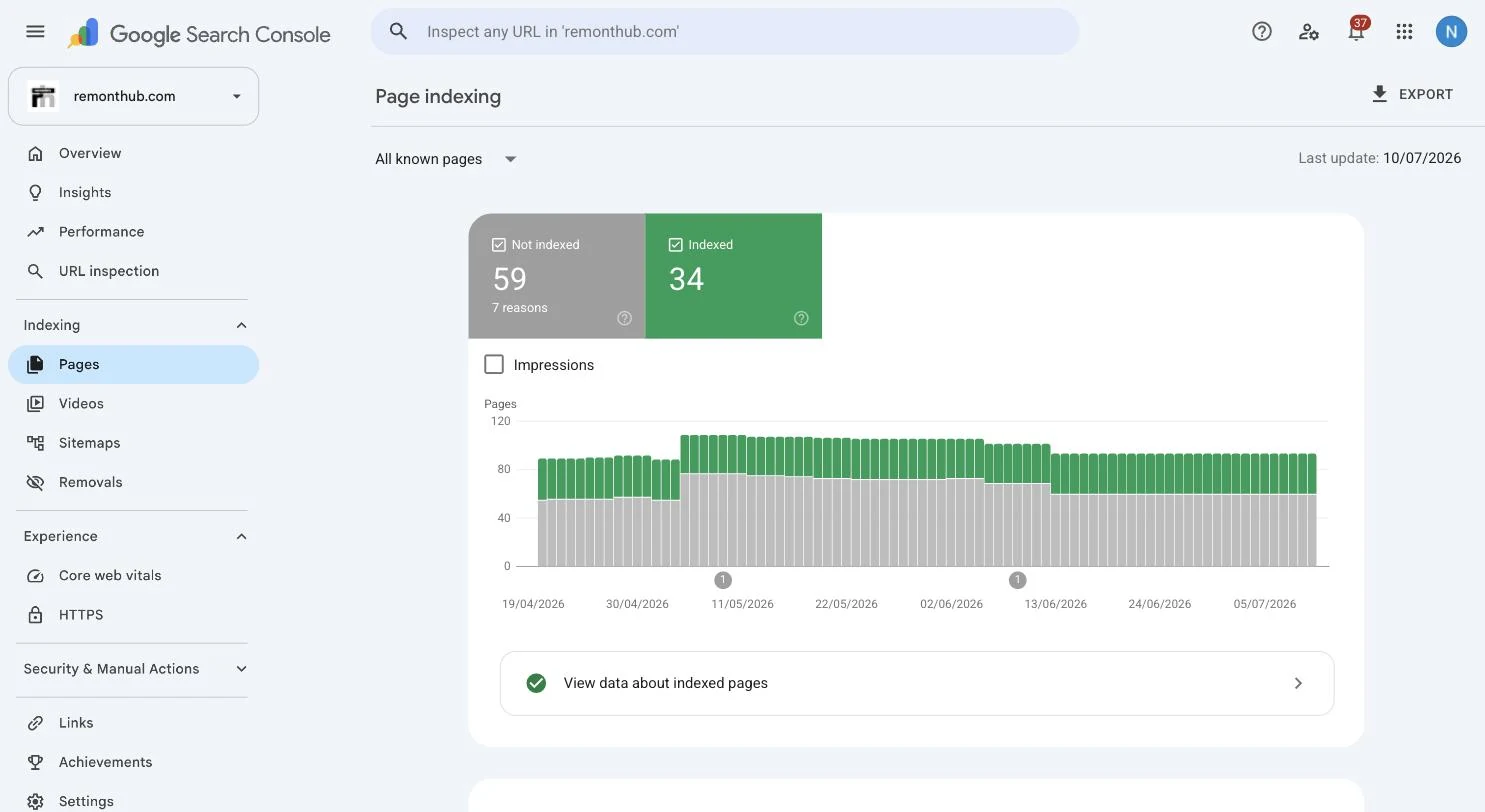
This is not a theoretical checklist. It is the diagnosis we ran on ourselves, what fixed it and the part where a new page went from published to indexed in a single day once we understood what Google actually wanted.
The 30-second test that tells you which problem you have
Open Google and search:
Now look at what comes back.
Zero results
Google does not have your site. You have an indexing problem.
Follow the indexing checks ↓Some pages appear
Google knows you exist but does not rank you for normal searches.
Follow the ranking checks ↓This fork matters because the fixes are different. “Not indexed” and “ranking on page seven” feel identical when you search for your business, but they are different problems.
Path A: Google has not indexed your site
Work through these checks in order. They are sorted by likelihood.
A1. Your site is new and you never told Google it exists
Google discovers sites by following links. A brand-new site may have none pointing to it, so discovery can be slow.
- Set up Google Search Console and verify the domain.
- Submit the sitemap—usually yourwebsite.com/sitemap.xml—under Indexing → Sitemaps.
- Use URL Inspection on the most important pages and select Request indexing.
Also connect Bing Webmaster Tools. You can import the site from Search Console, and Bing now recommends IndexNow for notifying participating search engines about changed URLs.
A2. Your own site is telling Google to go away
Two small configuration mistakes can make a whole site invisible:
- A noindex tag: an instruction not to list the page. In WordPress, check Settings → Reading and make sure “Discourage search engines” is not selected.
- A robots.txt block: visit yourwebsite.com/robots.txt. A site-wide Disallow: / under User-agent: * blocks crawling.
Search Console’s Page indexing report shows pages excluded by noindex or crawling rules. Fix the setting, then request another crawl.
A3. Google crawled your pages and decided not to index them
This was our problem. Search Console can report a URL as “Crawled – currently not indexed.” Google visited the page but did not add it to its searchable index.
We break down the evidence, likely causes and page-by-page fix; we go deep on fixing this exact status here.
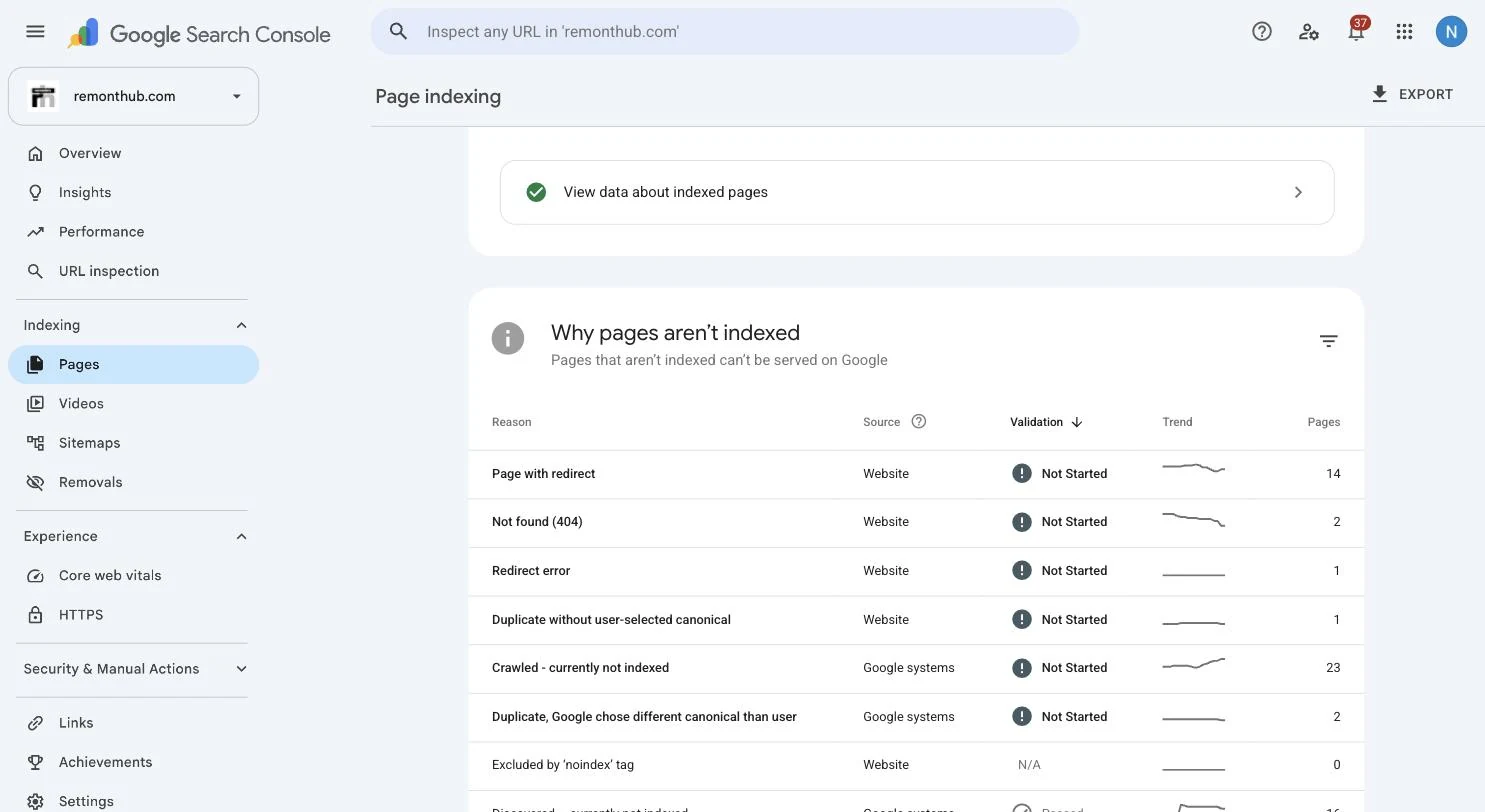
We had 23 pages in that group. Seventeen were portfolio pages with a heading and nine images—but not one useful sentence. There was almost nothing for a search engine or a customer to understand.
The fix was to give those pages a reason to exist in search: clear copy explaining who the work was for, what we built and why the result mattered. There is no magic word count; write enough original, useful text to satisfy the visitor’s question.
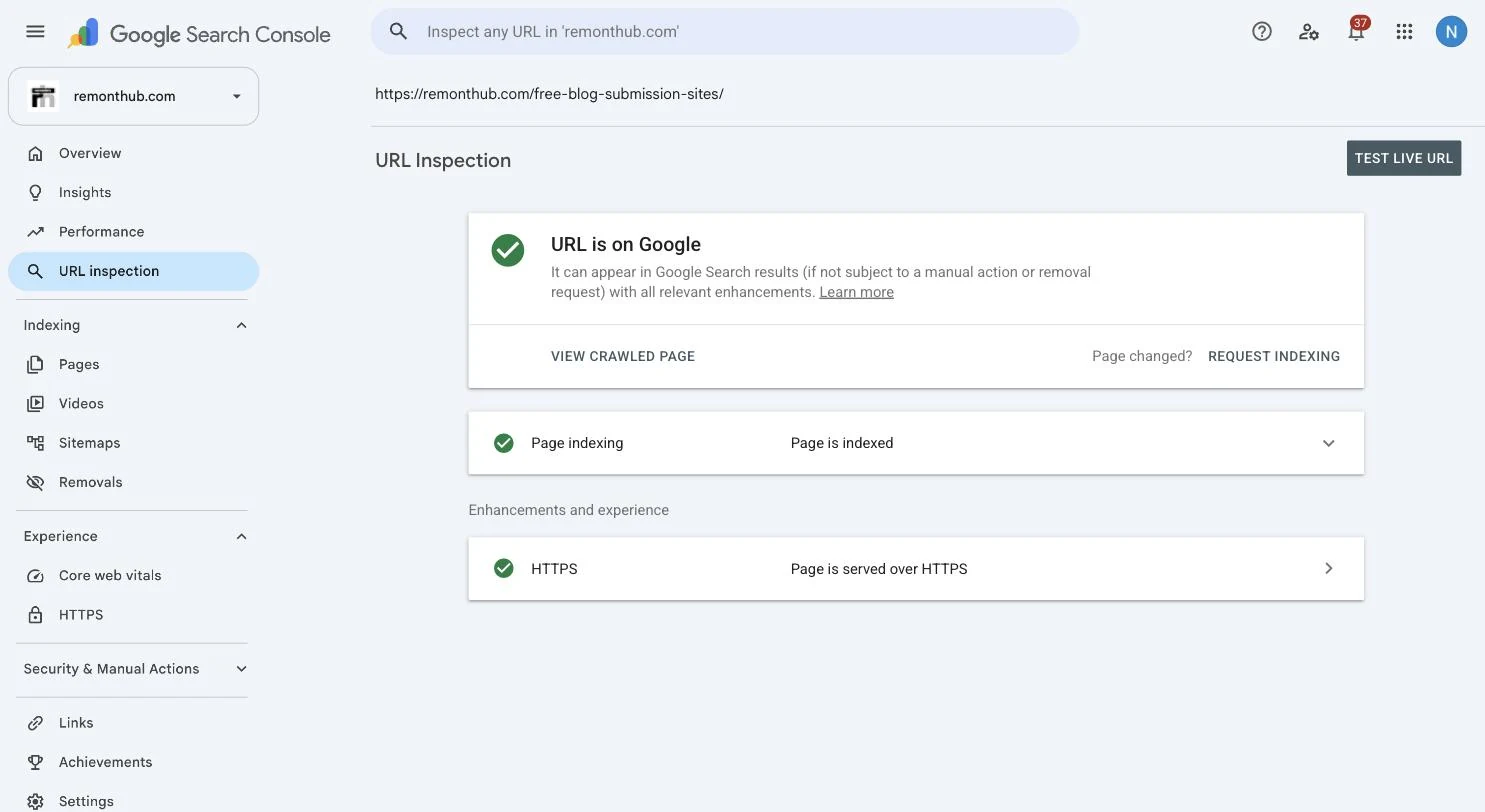
After the cleanup, a new 2,000-word article was indexed the same day. Google notes that requesting a crawl does not guarantee immediate inclusion, but useful, accessible content gives the URL a much stronger chance.
A4. Duplicate and redirect confusion
If the same page works at multiple addresses—slash and non-slash, HTTP and HTTPS, or www and non-www—Google must decide which version is canonical. We found that our non-slash URLs served duplicate pages instead of redirecting.
Pick one format, use permanent redirects for the others and check Search Console for duplicate or alternate canonical statuses.
If the drop started after a redesign, see redesigning without losing rankings before changing content that may not be the cause.
A5. A penalty (it is almost never this)
Unless a site has participated in link schemes or published spam at scale, a manual action is unlikely. Rule it out in Search Console under Security & Manual Actions. If the report says there are no issues, move on.
Path B: you are indexed—Google just does not rank you
If the site search shows your pages but customers cannot find you, indexing is not the problem. Being indexed is eligibility; ranking must be earned.
Our first-person guide starts with the next diagnosis: if your page IS indexed but still not ranking, here's why.
And if you're trying to get your name to show up on Google, use the separate personal visibility checklist.
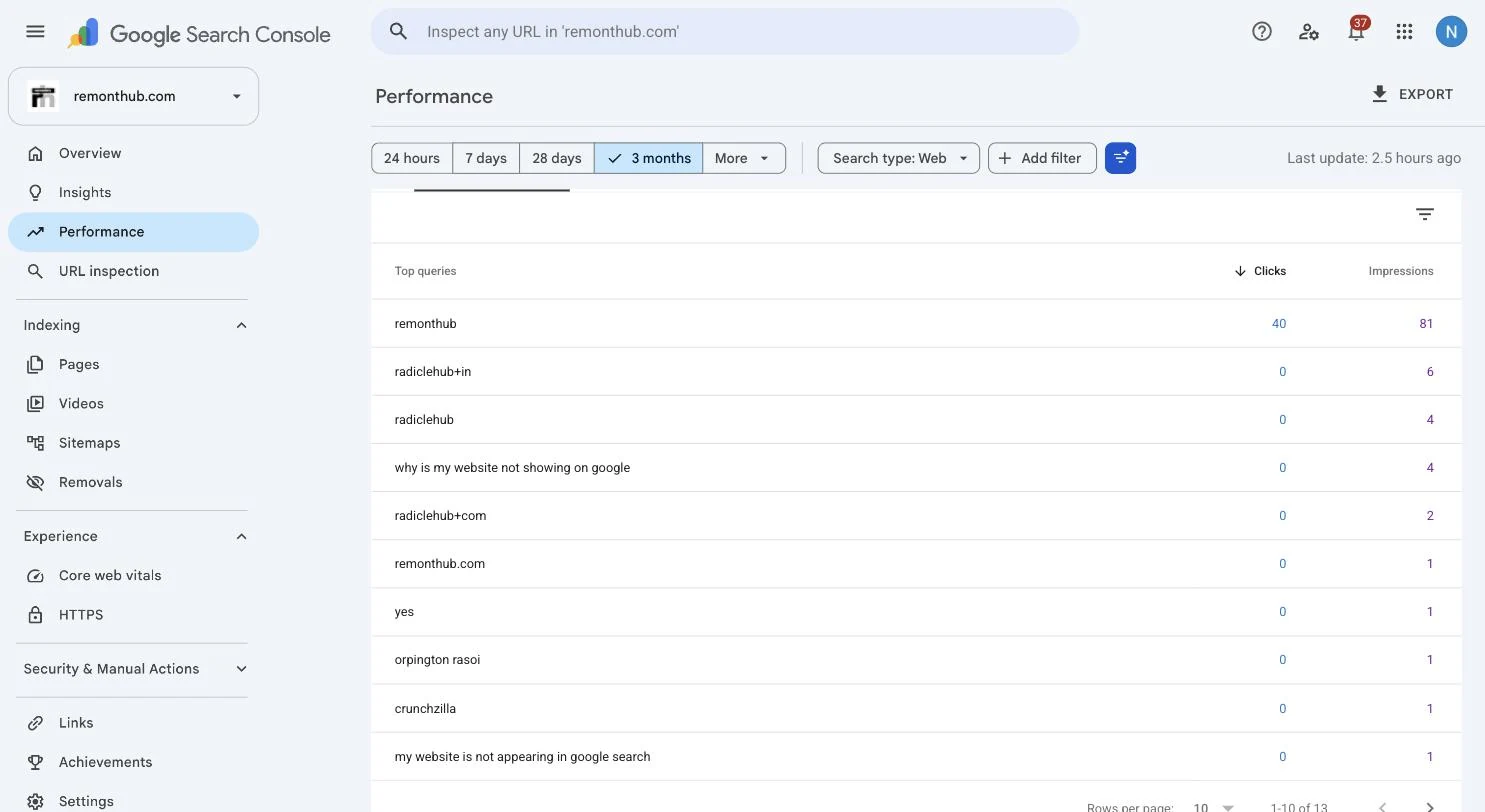
B1. Does a page target what your customers search?
Search engines match pages to queries. If you want to be found for “birthday cakes in Indiranagar” but no page contains that idea in its title, heading or copy, Google has little to match. A homepage that only says “We Create Magic” may sound charming but explains nothing.
Create one useful page per service or topic you want to be found for. Use the search phrase naturally in the title, main heading and body.
B2. Is the page useful enough to compete?
Google compares your result with every other page answering the same search. If the current leaders answer the question thoroughly and yours offers sixty vague words, the gap is editorial rather than technical.
Search the target phrase, study the strongest results and make your page more useful—not merely longer.
B3. Does anyone vouch for you?
Links from relevant websites remain an important signal of trust. A new site with no credible references often ranks slowly even when the content is strong.
Start with a complete Google Business Profile, legitimate industry directories and content worth citing. Our guide to free blog submission sites explains where republishing or syndication can help—and where it becomes spam. If you are building a larger resource or service site, our web development outsourcing guide shows how to scope the content and technical foundations before hiring a team.
How long does this actually take?
These are realistic planning ranges from our own site and client work—not guarantees.
| Action | Typical time to effect |
|---|---|
| Indexing after a request, with useful content | Hours to a few weeks; ours indexed the same day |
| New site appearing for its brand name | About 1–2 weeks |
| Ranking for low-competition searches | Roughly 1–3 months |
| Ranking for competitive commercial searches | Often 6–12 months or more |
Anyone guaranteeing page one in a week is describing a bet, not a strategy.
Questions we get a lot
How do I get my website to show up on Google?
Make sure Google can find and read it by connecting Search Console, submitting a sitemap and removing crawl or indexing blocks. Then create a useful page that directly matches what people search for and build credible links that support its authority.
Why is my website not searchable on Google even after indexing?
That is a ranking problem rather than an indexing problem. Most often, no page clearly targets the words your customers type, the page is not competitive enough, or the site has not yet earned enough authority.
How long does it take a new website to show up on Google?
A new site may appear for its brand name within days or a few weeks after submission. Competitive non-brand searches normally take months. If a site search still returns nothing after a month, check Search Console for an indexing block.
Does this work the same on Shopify, Wix, Squarespace and WordPress?
Yes. The diagnosis is the same on every platform. The location of the noindex setting and sitemap controls changes, but Google still needs to discover, crawl, index and rank the pages.
What should I check if my website suddenly disappeared from Google?
Start in Google Search Console. Check for an accidental noindex setting after a redesign, crawl failures, security problems, an expired certificate or a manual action. A sudden disappearance is different from a new site that has never been indexed.