

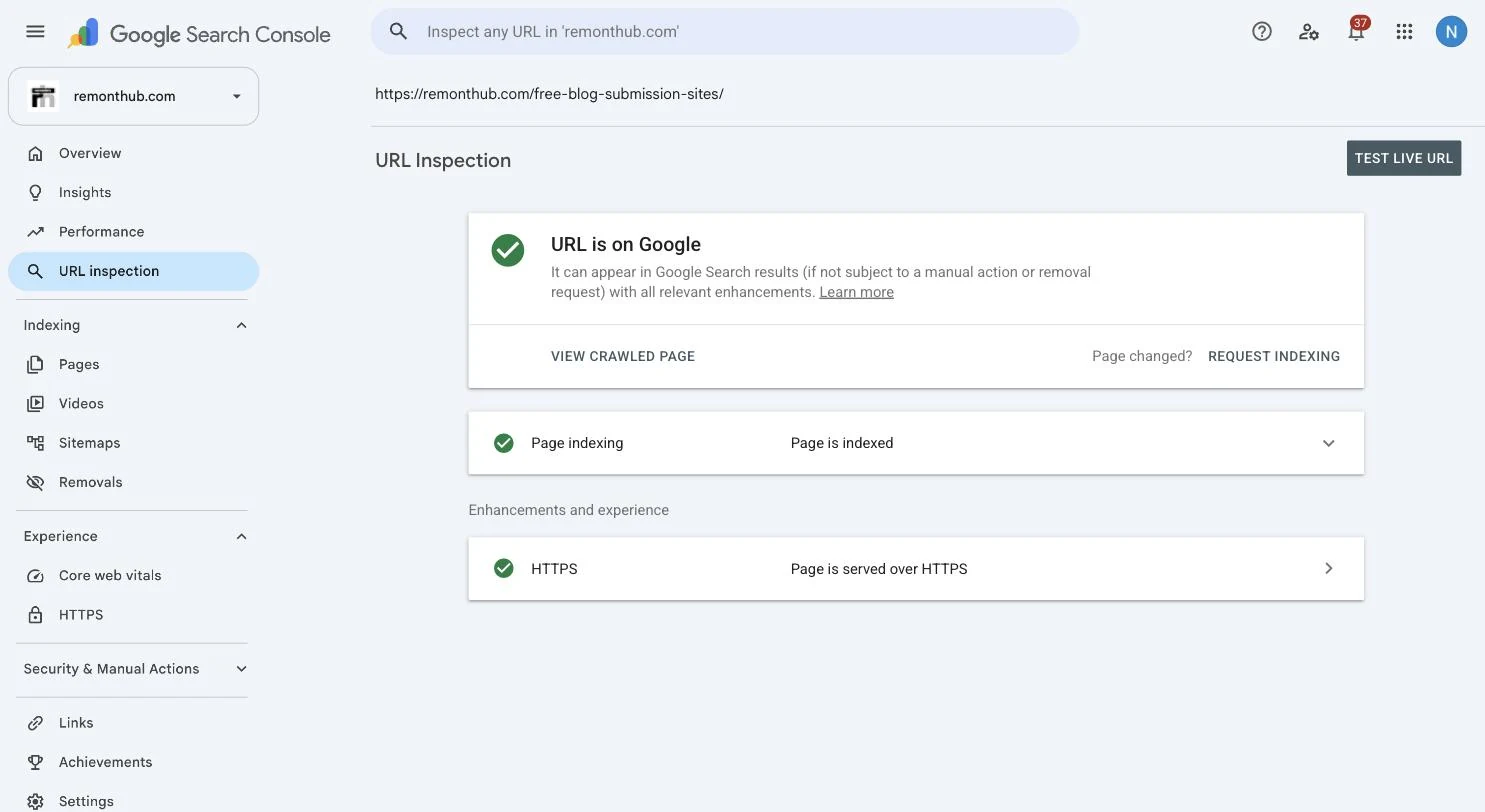
You checked Google Search Console. It says “Page is indexed.” Then you searched for the topic—and your page was nowhere a human would ever look.
If you have been refreshing Search Console wondering what is broken, the answer may be: nothing. A website indexed but not ranking on Google is not an indexing error. It is Google telling you the page is eligible, but has not yet earned a useful position.
We know because it happened to us. We are a digital marketing agency, and some of our own pages were indexed and then sat at position 60+ for the exact terms they targeted. This is what we learned digging ourselves out. If Search Console says the page is not indexed, start with our separate Google visibility and indexing diagnosis instead.
If the exact status is “Crawled – currently not indexed,” start here—if Google crawled your page but never indexed it—before working on rankings.
If rankings fell after a rebuild, start with the redesign migration checklist.
First, understand what “indexed” actually means
This is where most of the confusion lives. Indexed does not mean eligible for a top position.
Google has stored the page
The page is in the library and can be considered for relevant searches.
Google recommends the page
The page has earned a position against every competing answer for a query.
Being in the library is not the same as being on the recommended-reading shelf. Indexing is the entry ticket; ranking is earned separately. Your page cleared the first bar and is now being judged against the alternatives—and losing that comparison.
The 60-second check: are you ranking, just not on page one?
Before diagnosing, confirm the situation in the free Google Search Console Performance report:
- Open Performance → Search results.
- Select the page in the Pages tab, then open Queries.
- Enable Average position at the top of the report.
- Compare the position trend with impressions and clicks over several weeks.
| What Search Console shows | What it usually means | Next move |
|---|---|---|
| No query impressions | Google has not found a strong query match yet | Recheck intent, clarity and internal links |
| Position 40–90 | The page ranks, but is practically invisible | Improve the page and build authority |
| Impressions rising, position improving | The page may be earning trust | Keep strengthening it; do not rewrite daily |
Google defines Average position as an average across impressions, so it is a diagnostic trend—not a live rank tracker. A position of 45 or 68 still means you are ranking, just not visibly.
The six real reasons indexed pages do not rank
These are sorted by how often we see them—and yes, we hit several ourselves.
1. Your content does not match search intent
Google looks at the kind of page searchers already find useful. If the top results are step-by-step guides and yours is a sales page—or the reverse—your page is fighting the query instead of answering it. Search the target phrase and ask honestly: is my page the same useful format as the results being rewarded?
2. The page is thin or unremarkable
Indexed does not mean impressive. If your page repeats in 200 vague words what the leading pages explain with examples, evidence and clear next steps, Google has no reason to prefer it. That was our problem on several pages: technically fine, competitively weak.
The fix is not “add words.” It is to create helpful, reliable, people-first content that answers the search better. Sometimes that means deeper copy; sometimes it means a calculator, comparison table, screenshot or first-hand example.
3. You do not have enough authority yet
Ranking is a competition. A new page on a site with few credible references often moves slowly even when the content is strong because the domain has not earned much trust for that topic. Time and legitimate links can change that.
Start with relevant partnerships, original resources worth citing and sensible distribution. Our tested list of free blog submission sites explains where republishing can build reach—and where it turns into spam.
4. The exact keyword is brutally competitive
Sometimes your page is good and the opponents are simply stronger. If page one is owned by huge, established sites, a young page is unlikely to displace them quickly. Target the more specific, less-contested version first—for example, “indexed but not ranking on Shopify” rather than “SEO”—then build topical authority toward the broader term.
5. Your internal linking is weak
Google partly learns a page’s importance from how your own site links to it. If your homepage and strongest articles never point to the new page, you are signalling that it is not central. We had exactly this problem: our best pages linked to almost none of our new ones.
Add descriptive links from genuinely related pages and make sure the page fits a clear site structure. If the structure itself is the problem, our website design and development team can rebuild the content and technical foundation together.
6. The page is simply too new
Sometimes nothing is wrong and the page has not gathered enough impressions to judge. A freshly indexed page can take time to settle into a useful position. If it is only days old, improve the issues above, monitor the trend and resist changing the target every morning.
What we actually did—and what worked
There was no single trick. The improvement came from stacking the right signals:
- Matched intent: reshaped pages into the formats Google was already rewarding for each search.
- Made them genuinely more useful: added real depth, first-hand experience, honest specifics and evidence.
- Fixed internal links: pointed our strongest relevant pages at the pages we wanted to rank.
- Started earning links: used careful republishing and outreach as the slow-but-durable lever.
- Gave the work time: reviewed meaningful trends monthly instead of refreshing positions hourly.
Pages that sat at 60+ started climbing. Not overnight, and not in a perfectly straight line—but in the direction that compounds.
The one mistake to avoid
Do not keep hitting “Request indexing” on a page that is already indexed.
Request indexing asks Google to recrawl a URL after a meaningful change. It is not a ranking tactic. Google’s own recrawl documentation says repeated requests for the same URL will not make it get crawled any faster.
Ranking is not an indexing problem. Fix intent, usefulness, internal links and external authority instead.
Questions we get a lot
Why is my page indexed but not ranking on Google?
Indexing and ranking are separate. Indexed means Google stored your page; ranking means Google judged it one of the best answers for a particular search. An indexed page can remain hard to find when its intent, usefulness, authority, competition or internal linking is weaker than the pages already ranking.
How do I know if I am ranking but on a low page?
In Google Search Console, open Performance, select the page, switch to Queries and enable Average position. A high position number means the page is appearing but far down the results. Treat the figure as a trend rather than an exact live rank because it is averaged across impressions.
How long until an indexed page starts ranking well?
There is no guaranteed timetable. In our planning, low-competition queries may move within weeks or a few months, while competitive commercial terms can take many months. A new site with little authority often takes longer, and a days-old page may not have enough data to judge yet.
Does requesting indexing again help a page rank?
No. Request indexing is a recrawl tool, not a ranking tactic. Google says repeated recrawl requests for the same URL will not make it get crawled any faster. Improve the page's relevance, usefulness, internal links and credible external references instead.
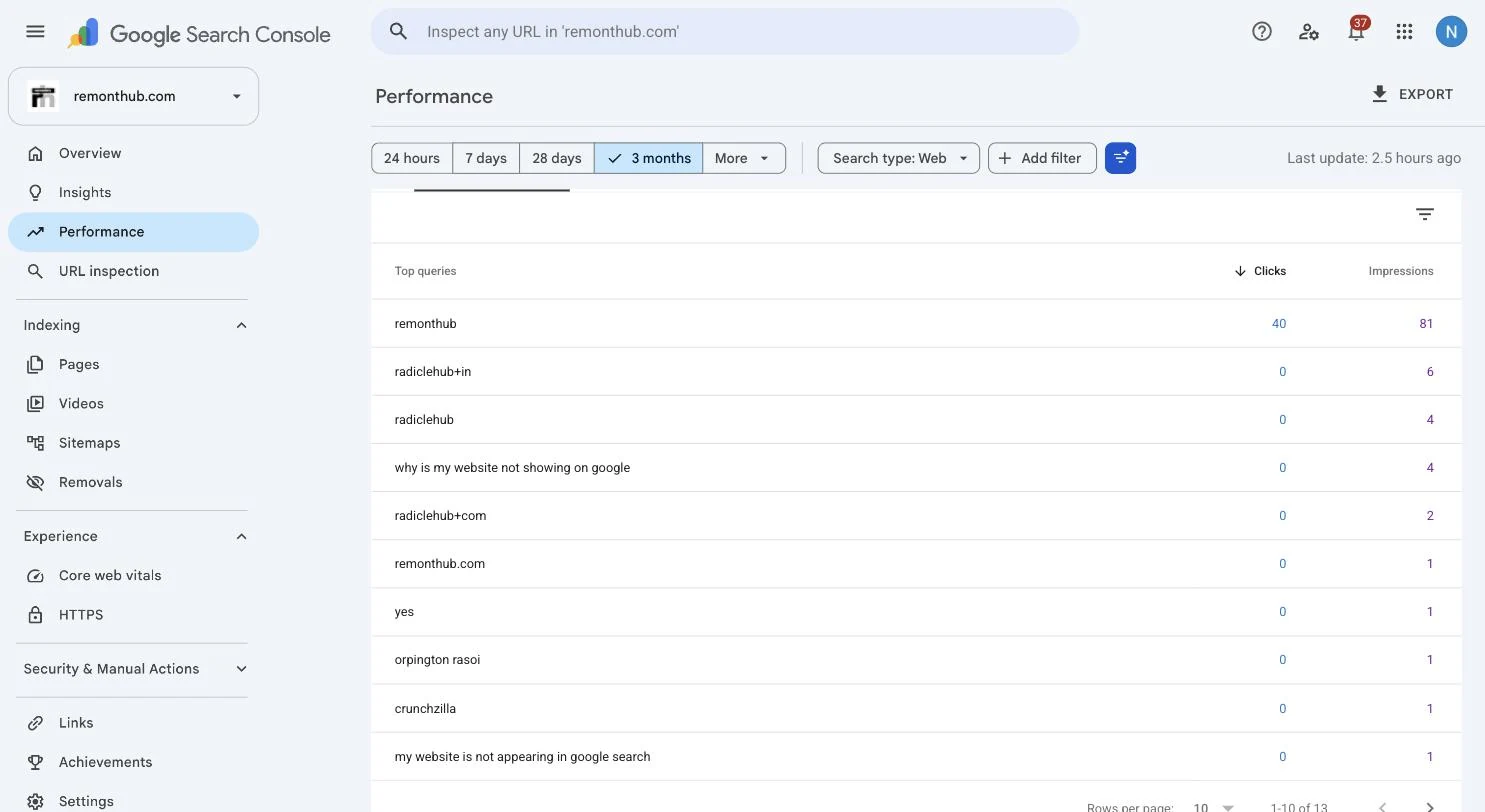
Why does my page rank for my brand name but nothing else?
Your brand name usually has little direct competition, so your site can be the clearest result by default. Non-brand searches have established competitors. To win those, the page must match the search intent and offer enough useful evidence and authority to beat the alternatives.