

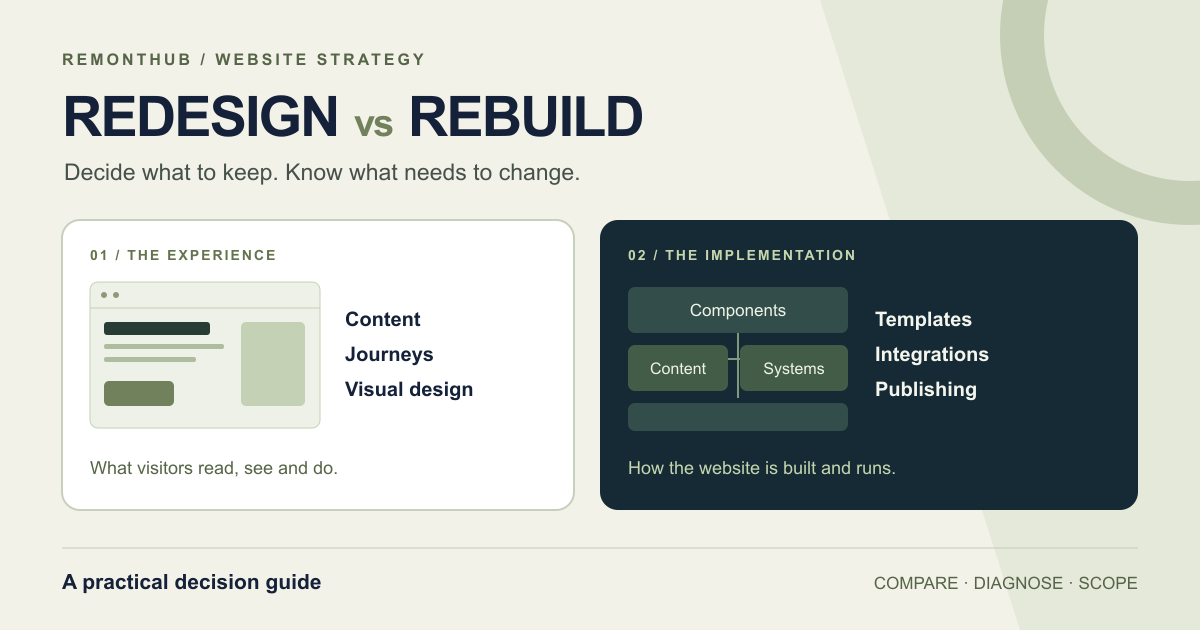
A website redesign changes the experience, content structure or presentation. A rebuild replaces substantial parts of the implementation. Replatforming changes the CMS or platform and can happen alongside either.
The right choice depends on what is stopping the site from doing its job. A weak service page may need clearer writing. A difficult publishing process may need better templates. A platform that cannot support a required business workflow may need replacing.
We build websites at Remonthub, so we have a commercial interest in this decision. Our useful contribution is to make the scope explainable: what changes, what stays, and what evidence justifies the expense.
Refresh, redesign, rebuild or replatform?
Agencies use these terms differently. Agree on working definitions before comparing quotes. Here is how we use them in this guide.
| Approach | Main change | What can stay |
|---|---|---|
| Repair or refresh | Specific faults, content, styling or individual components | Most of the existing site and platform |
| Redesign | Messaging, navigation, customer journeys, layouts and visual system | CMS, useful content, URLs and functioning integrations |
| Rebuild | A substantial part of the website implementation | The platform, design, content and URLs where they remain suitable |
| Replatform | The CMS or platform the website runs on | Some or much of the experience, content and URL structure |
These options overlap. You can redesign on WordPress, rebuild a front end while keeping its CMS, or move platforms while preserving the visual design. A rebuild does not require throwing away every useful page. A redesign can involve substantial development.
Turn the complaint into something you can test
“The website feels old” is a starting point. Ask what a customer or colleague cannot do, which page is involved, and how often it happens. Then look at four parts of the site together.
1. The customer journey
Choose a real task: find the right service, understand the offer, request a quote or complete an order. Follow it on a phone. Record confusing language, missing information, broken controls and unnecessary steps. A poor journey might require new navigation and templates while the existing platform remains useful.
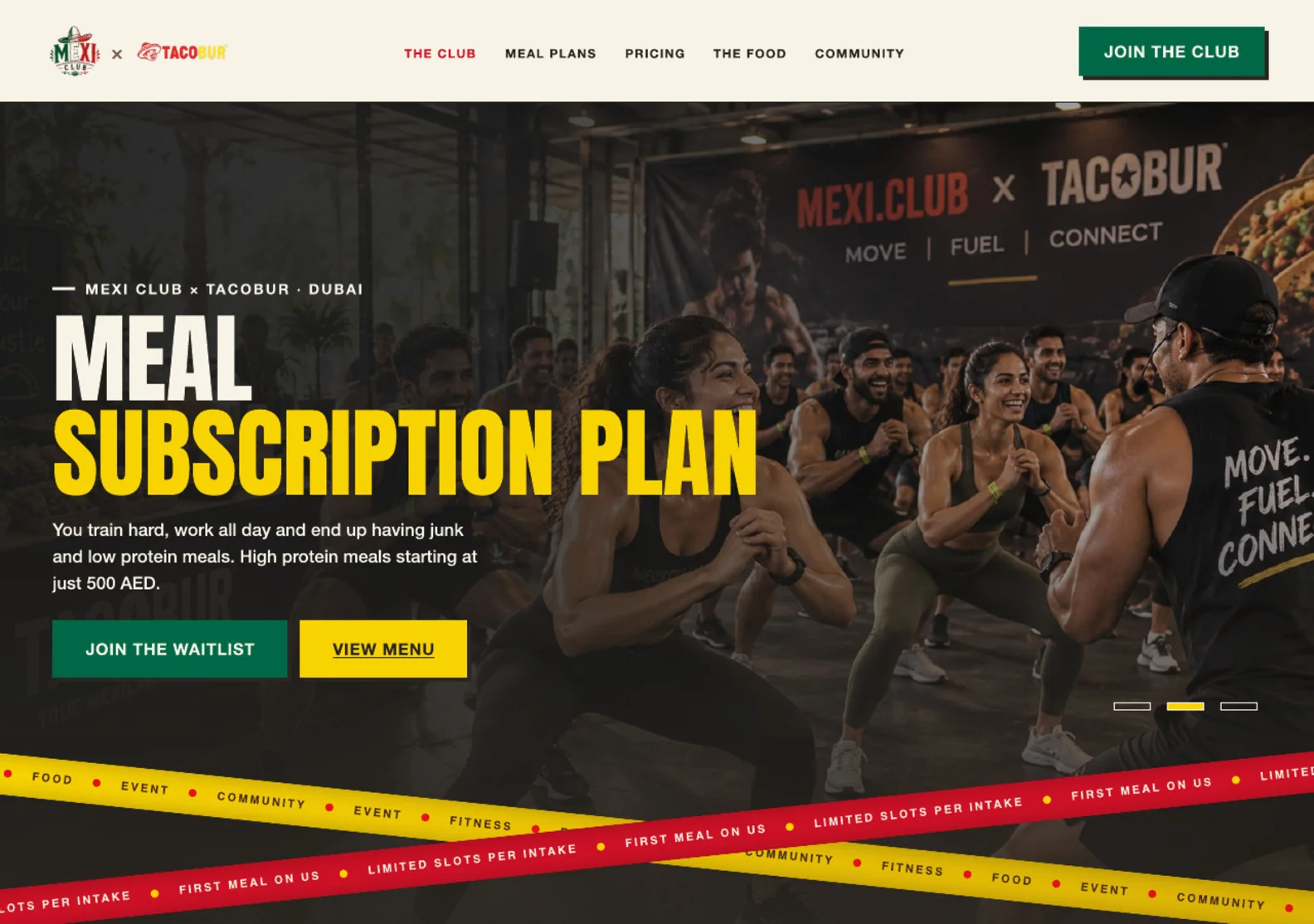
Our Mexi Club × Tacobur case study explains those design decisions. Use visible work to discuss the experience; ask for separate evidence about editing, integrations and maintainability.
2. The publishing workflow
Ask the person who maintains the site to make a routine change. Can they update a service, add a case study and preview it safely? If every request takes a week, find out where the week goes. Missing permissions, unclear approvals and inadequate training can survive a move to a new CMS.
3. The implementation
Give the technical team a specific requirement to test. Can the current system support the new booking rules? Can a slow template be improved without breaking other pages? Are dependencies supported, and can releases be tested and reversed? Record the constraint and the repair options considered.
A low performance score deserves investigation. Large images, scripts, fonts and caching are possible causes; none automatically proves that the whole platform must go. Chrome explains why Lighthouse scores vary. Compare similar runs and inspect the underlying measurements.
4. The assets already working
List useful pages, established URLs, customer data, integrations and content the team can maintain. Note who controls the accounts and what can be exported. This inventory gives every proposed change a preservation plan.
An unanswered question is a research task. “We don’t know whether the CMS can do this” should lead to a small technical investigation before it becomes a replacement budget.
A real Remonthub problem that needed a repair
In July 2026, an updated article could be visible through a URL with a cache-busting query while the ordinary URL still showed older content. The page had been written. The delivery path could still serve a previous version.
Our recorded change on 14 July added a cache policy requiring HTML and sitemap responses to revalidate. We also added deployment checks for the expected article text and response headers. The existing application, routes and article implementation remained in place.
From our change history · 14 July 2026
- Symptom
- Updated content and the plain URL could disagree.
- Work recorded
- Cache configuration and release verification.
- What stayed
- The application, page routes and content implementation.
- Decision supported
- Investigate the delivery layer before replacing the site.
Source: Remonthub change record 8d90219. This records the repair work; it does not establish a traffic increase or permanent absence of caching problems.
That example has a narrow lesson. A delivery problem called for delivery work. It cannot tell us whether the rest of a website needs redesigning. Our September audit likewise separated URL handling, image delivery and content issues into different workstreams; those recommendations were a plan, not a record of completed improvements.
What a complete decision looks like
Illustrative scenario · Not a Remonthub client result
Imagine a consultancy whose owner asks for “a completely new website.” Its services have changed, enquiries are inconsistent and the team dislikes editing the homepage. Here is how an assessment could change that brief.
| Area | Example finding | Scope implication |
|---|---|---|
| Customer journey | Services are grouped by internal department; visitors cannot identify the right offer. | Rework service architecture, copy and navigation. |
| Publishing | Editors can update service pages. The homepage lacks reusable blocks. | Test new homepage components on the existing CMS. |
| Implementation | Supported software; a prototype supports the proposed layouts and enquiry integration. | Retaining the foundation is a credible option. |
| Existing assets | Useful articles, service URLs and a functioning CRM connection. | Preserve these explicitly in the scope. |
The provisional decision: redesign on the existing platform. The proposed work changes the experience and selected templates. The investigation has not identified a requirement that demands a new platform.
Now change one finding. Suppose the consultancy needs a client portal with a permissions model the current implementation cannot safely support. A prototype exposes that limitation. That could justify rebuilding the affected system or adding a separate portal. It still does not automatically require replacing the public marketing site.
Write down what would change your recommendation. For this example: a failed prototype, an unsupported dependency or an editing requirement the existing CMS cannot meet. That makes the decision open to evidence instead of turning it into a commitment to defend.
When rebuilding is the responsible choice
Keeping an existing site can also become expensive. Replacement deserves serious consideration when important requirements repeatedly collide with the implementation and the repair path is impractical.
- Required functionality has a demonstrated blocker. The team has tested the requirement and can explain why supported extensions or a contained change will not meet it.
- Routine changes carry recurring risk. The cost comes from the structure of the system, and the team has compared incremental repair with replacement.
- Essential software has no workable maintenance path. Identify the unsupported component and assess upgrading or replacing it before expanding the scope.
- The content model no longer fits the business. Required relationships, permissions or publishing workflows cannot reasonably be represented in the current setup.
Ask the agency to name what it will reuse. A proposal can replace a fragile component while keeping content, URLs, integrations or the CMS. A phased rebuild may make sense when each part can be released and tested independently.
Website age is context, not a verdict. Equally, low search traffic is not proof of a platform failure. If visibility is the complaint, start with the indexing and ranking diagnosis before commissioning a replacement.
Compare the work and the cost of running it
A complex redesign can cost more than rebuilding a small site. “Redesign” and “rebuild” do not specify how much research, content, migration or testing is included. Ask suppliers to price the same requirements and identify assumptions.
| Cost area | Question to resolve |
|---|---|
| Content and design | Who writes, approves and enters the copy? How many distinct templates and review rounds are included? |
| Migration | Which pages, records, files and integrations move? Who checks that the transfer is complete? |
| Testing and launch | Who tests customer tasks, accessibility, redirects and analytics? What is the rollback plan? |
| Ongoing operation | What are the hosting, licence, support and routine editing costs for the same agreed period? |
| People and disruption | How much staff time, retraining and content approval does each option need? |
Timeline depends on those same deliverables and dependencies. A smaller engineering change can still wait weeks for content. Request milestones with named responsibilities rather than accepting a launch date detached from the work.
Once the scope is clear, use our guide to choosing a web design agency to assess the people and process behind the proposal.
Write the decision before you buy the build
Use one row for each important problem. Attach evidence, state what remains uncertain and name the smallest change worth testing. Then compare that option with replacement.
- Requirement: What must a customer or colleague be able to do?
- Evidence: Which observation, test or support record shows the current limitation?
- Options: What would a repair change? What would replacement add?
- Preservation: Which content, URLs, data and integrations should stay?
- Acceptance: How will you verify the work, and who owns that check?
Take the worksheet to your next agency call.
Fill in your findings, compare the options and print a copy for the people approving the project.
Open the printable worksheet ↗“We need more evidence” is a valid outcome. A small paid investigation can establish whether an integration or template is repairable before you commit to a larger project. Agree on the question and deliverable for that investigation.
Protect what already works
Whichever scope you choose, record the pages, useful content, customer tasks and measurements that should survive. Preserve established URLs where practical and assign an explicit destination to each URL that changes.
Google’s site-move guidance recommends URL mapping, redirects and monitoring, with major changes sequenced where practical. Search risk follows the changes you make to content and delivery; the project label does not protect you.
Our website redesign SEO checklist covers the migration work in detail. Keep those responsibilities in the proposal even when the project is described as a refresh.
Questions before you approve the scope
Can I redesign my website without changing the CMS?
Yes, if the current CMS can support the required content, layouts, permissions and integrations. You may still need new templates and development work. Ask for a demonstration of the hardest requirement before committing to keep or replace the platform.
Does rebuilding a website mean changing its domain or URLs?
No. A new implementation can preserve the domain and existing URL paths. Where a URL must change, map it to the closest relevant replacement and test the permanent redirect. Content, internal links and indexing controls also need attention, even when the URLs stay the same.
Is a website redesign always cheaper than a rebuild?
No. A large redesign with research and extensive content work can cost more than rebuilding a small, simple site. Compare equivalent deliverables, migration, testing, training and ongoing support. The label on the proposal does not define its cost.
Does a low PageSpeed score mean I need a new website?
No. Large images, third-party scripts, fonts, caching or individual components can cause poor results on an otherwise usable foundation. Investigate the bottleneck and test a focused fix. Consider replacement when the existing implementation demonstrably prevents the required improvement.
Can a website rebuild happen in phases?
Often, yes. A team can replace a section or component while retaining the rest, provided routing, content, integrations and measurement remain coherent. Some tightly coupled systems are harder to separate. Ask what can ship independently and how each release can be tested and reversed.
What should an agency show before recommending a rebuild?
A specific business requirement, evidence of the current constraint, the repair options considered, what replacement would change, and the assets it would preserve. The proposal should also name migration responsibilities, acceptance tests and ongoing operating costs.
Start with the site you have.
Send us your URL and the change you need to make. We can help define what to repair, what to redesign and whether replacing the underlying implementation is justified.
Discuss your website with Remonthub →
Explore our website design and development services.